
Built for statutory audit work, from client files to a draft report.
Section A data transfer, Section B working papers, and Section C financial statements and audit report — written into your firm's own Excel and Word templates.
Check scripts run on every working paper, then independent reviewer agents re-check them before the report is written. Figures link back to their source file and cell.
It lists what it found and what is missing, stops when a file is absent, and asks which report format to use. Flags point to the exact file and cell that needs attention.
From the client's documents to a draft audit report, in four steps.
Create a project, choose the firm or signing-partner profile, and drop in the client's accounts, ledger, ageing reports, bank statements and last year's report.
AuditCore lists what it found and what is missing, and asks which report format your firm uses before it starts.
It prepares the data transfer and the working papers with a live progress list, then runs independent checks before moving on.
It writes the financial statements and the audit report. Your auditors review the draft, adjust it and sign.
AuditCore follows MPERS, the Companies Act 2016, ISA and the MIA By-Laws. It writes into your firm's working-paper and report templates, checking fonts, borders and page breaks so the result looks like your team made it. It runs on your auditors' computers and works only inside the project folder you choose.
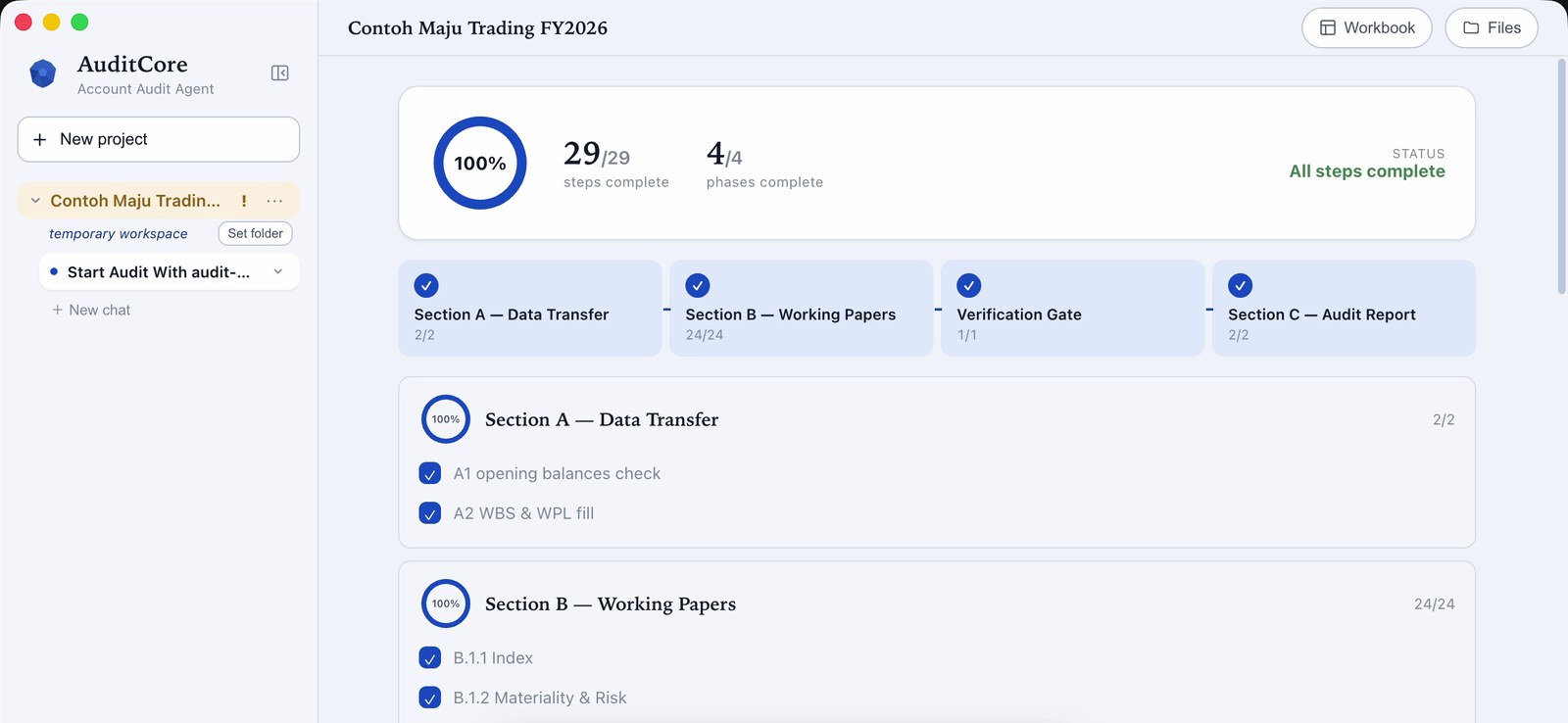
AuditCore on a sample company — every section ticked off.